
Tag: Arduino Scoreboard
-

DUAL Color 32cmx32cm LIVE SCORE Cricket and Soccer Football Scoreboard
On
|
By
Check out all the SCOREBOARD possibilities- CRICKET, SOCCER, PING PONG, TENNIS and RUGBY LEAGUE/UNION Build your own scoreboard with ease using SCOREDUINO-DMD, a DIY solution that offers unique features setting it apart from traditional scoreboards. One standout feature is its remote operability via an Android app, allowing control from anywhere with internet connectivity. Whether you’re
-

Triple Color Vertical Cricket and Soccer Scoreboard
On
|
By
Create a multitude of Arduino Scoreduino-based digital scoreboards and timers with this adaptable module, offering the potential for 30+ distinct variations. Each module comes preloaded with code for a single output, providing you the freedom to select your preferred output and customize colors to suit your preferences. Detailed documentation is accessible for all scoreboard outputs,
-

How to use SCOREDUINO-SCORE6 Ping Pong Table Tennis Scoreboard
On
|
By
Download Scoreduino Controller app ‘SCOREDUINO SCORE6’ app is dedicated to controlling SCOREDUINO based table tennis scoreboards with six seven-segment displays. Features of SCOREDUINO SCORE6 app: 1. Send specific scores to SCORE6 table tennis scoreboards. 2. Connect to two SCORE6 scoreboards and send the same scores simultaneously across both scoreboards. 3. Simultaneously send up
-
How to use SCOREDUINO-SCORE5
On
|
By
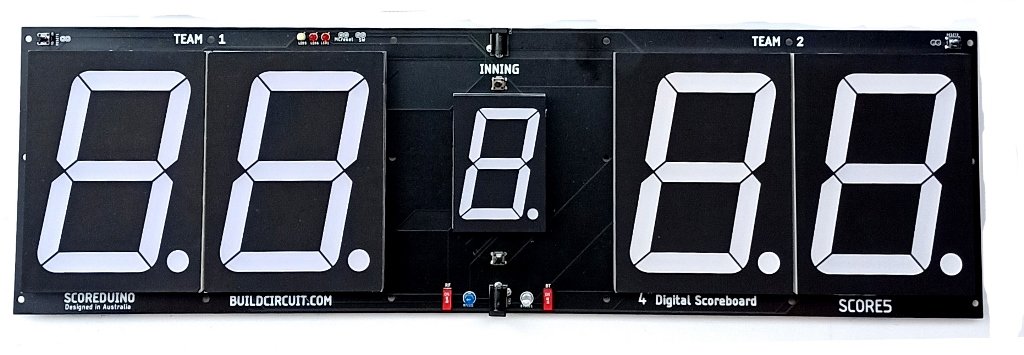
Download Scoreduino Controller app ‘SCOREDUINO SCORE5’ app is dedicated to controlling SCOREDUINO based digital scoreboards with five seven-segment displays. Features of SCOREDUINO SCORE5 app: 1. Send specific scores to SCORE5 scoreboards. 2. Connect to two SCORE5 scoreboards and send the same scores simultaneously across both scoreboards. 3. Simultaneously send up and down count commands
-
How to use SCOREDUINO-SCORE4
On
|
By
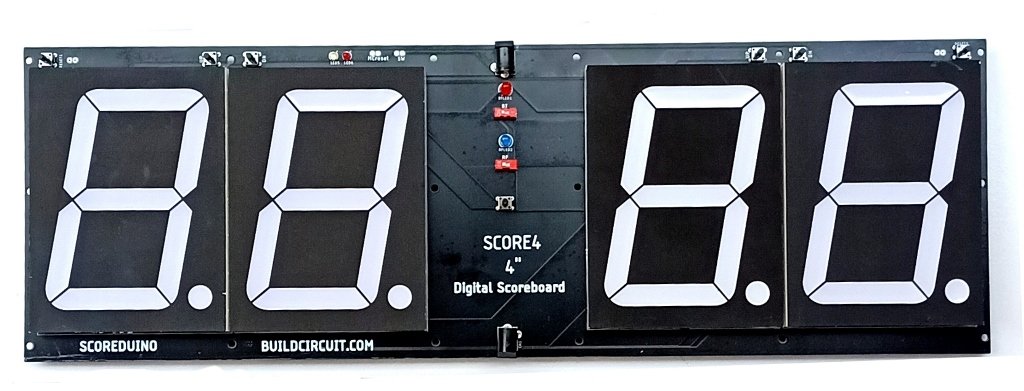
‘SCOREDUINO SCORE4’ app is dedicated to controlling SCOREDUINO based digital scoreboards with four seven-segment displays. Features of SCOREDUINO SCORE4 app: 1. Send specific scores to SCORE4 scoreboards. 2. Connect to two SCORE4 scoreboards and send the same scores simultaneously across both scoreboards 3. Simultanously send up and down count commands to connected scoreboards.