
Month: January 2022
-

How to use Scoreduino- SCORE C
On
Download Scoreduino Controller app ‘SCOREDUINO CRICKET’ or ‘SCORE C’ app is dedicated to controlling Scoreduino based cricket scoreboards with 9 seven-segment displays. Features of SCOREDUINO Cricket (Score C) app: 1. Send specific scores to cricket scoreboards. 2. Connect to two cricket scoreboards and send the same scores simultaneously across both scoreboards. 3. Simultaneously send
-

How to use Scoreduino Timer
On
Download ‘Scoreduino Controller’ app ‘SCOREDUINO TIMER’ app is dedicated to controlling a 4 digits digital timer. Features of SCOREDUINO TIMER app: 1. Send specific time duration, for example, 45:00 or 30:00 to the timer 2. Decrease or increase minutes on the display 3. Decrease or increase seconds on the display 4. Start/Pause the timer Steps
-

How to use SCOREDUINO-SCORE6 Ping Pong Table Tennis Scoreboard
On
Download Scoreduino Controller app ‘SCOREDUINO SCORE6’ app is dedicated to controlling SCOREDUINO based table tennis scoreboards with six seven-segment displays. Features of SCOREDUINO SCORE6 app: 1. Send specific scores to SCORE6 table tennis scoreboards. 2. Connect to two SCORE6 scoreboards and send the same scores simultaneously across both scoreboards. 3. Simultaneously send up
-
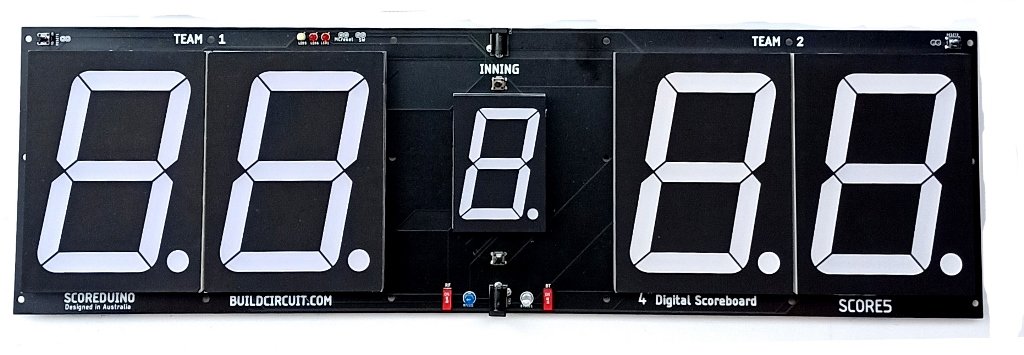
How to use SCOREDUINO-SCORE5
On
Download Scoreduino Controller app ‘SCOREDUINO SCORE5’ app is dedicated to controlling SCOREDUINO based digital scoreboards with five seven-segment displays. Features of SCOREDUINO SCORE5 app: 1. Send specific scores to SCORE5 scoreboards. 2. Connect to two SCORE5 scoreboards and send the same scores simultaneously across both scoreboards. 3. Simultaneously send up and down count commands
-
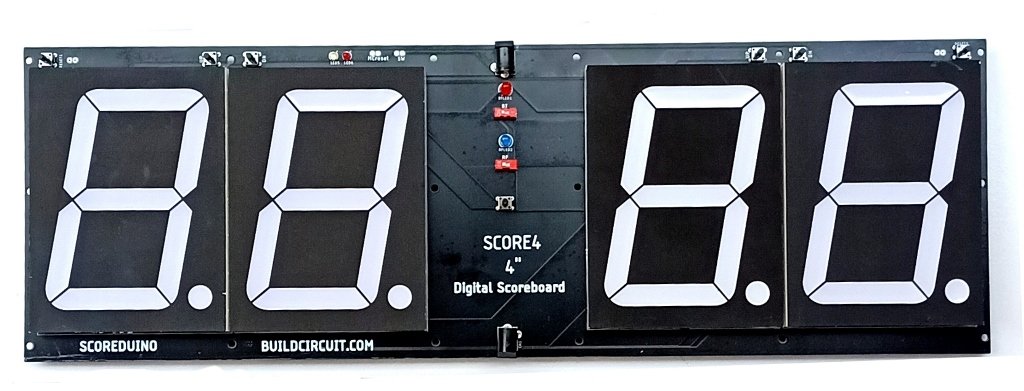
How to use SCOREDUINO-SCORE4
On
‘SCOREDUINO SCORE4’ app is dedicated to controlling SCOREDUINO based digital scoreboards with four seven-segment displays. Features of SCOREDUINO SCORE4 app: 1. Send specific scores to SCORE4 scoreboards. 2. Connect to two SCORE4 scoreboards and send the same scores simultaneously across both scoreboards 3. Simultanously send up and down count commands to connected scoreboards.
-

How to use SCOREDUINO-SCORE3
On
‘SCOREDUINO SCORE3’ app is dedicated to controlling SCOREDUINO based three digits up/down counter devices. Features of SCOREDUINO SCORE3 app: 1. Send specific numbers (from 000 to 999) to SCORE3 counters. 2. Connect to two SCORE3 counters and send the same scores/numbers simultaneously across both counters. 3. Simultaneously send up and down count
-

One digit up and down counter using 74LS192/CD40192 and RF remote control
On
This is a simple up and down counter that can be operated by a four-channel RF remote. The 74LS192 or CD40192 up and down counter chip is used in this gadget. The 74LS192 chip is triggered by a NE555 (set in monostable mode). The CD4511 chip controls the seven-segment display. Schematic: All the components
-
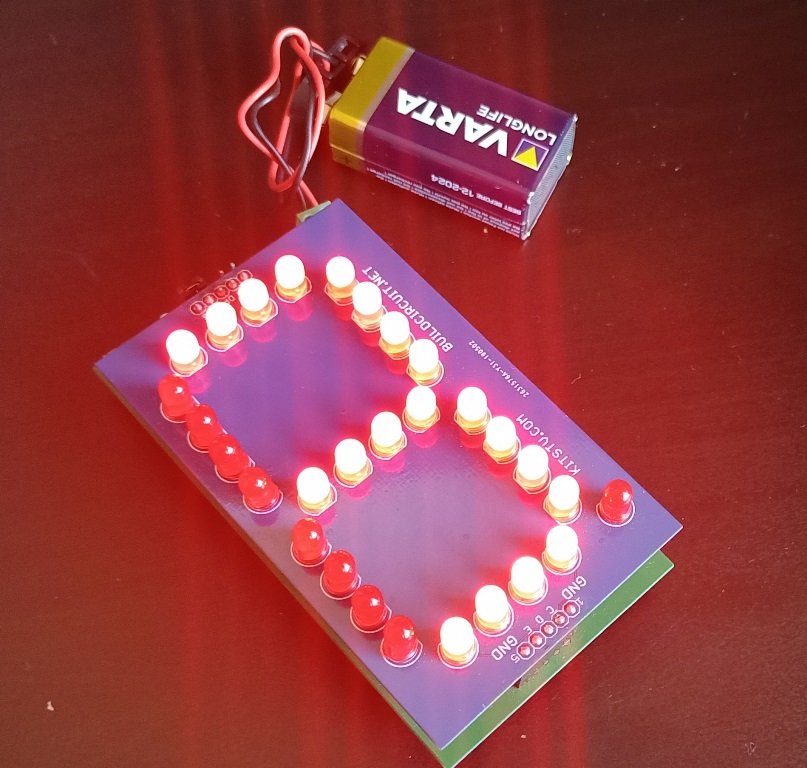
Build your own seven segment display using 5mm LEDs
On
In this post, I’ll show you how I built a basic 3′′ seven-segment display out of 5mm LEDs. This project was done during the Scoreduino project’s research and development phase. Built with 29 pieces of 5mm LEDs, this is a COMMON CATHODE seven-segment display. For this display, there is also a driver. For students
-

Large SCORE4- Digital Scoreboard with 3 inches display
On
This is a DIY digital scoreboard for indoor games. All the modules of the scoreboard come fully assembled. You just have to find a way to fix it on a wooden board or make other arrangements. There are 3 modules in each scoreboard: SCOREDUINO-B: This is the central module of the Scoreboard. This is an
